Type “AI comic” in the App Store and you get dozens of apps. Most of them came out in 2026, and their store pages all promise the same thing. They don’t all make the same kind of comic.
We looked at nine of them: what each one makes, how much control you get, what it costs, and what its users complain about in their reviews. One of them is ours: Emaki. We put it first, and we tell you where it falls short too.
The short list
| App | Best for | Paid plans from | App Store rating |
|---|---|---|---|
| Emaki | A comic with the same characters in every panel | $6.99 a week | 4.7 (151 ratings) |
| ChatGPT | One free picture or a quick strip | $8 a month | 4.8 (12 million) |
| Google Gemini | A picture book from one prompt | $4.99 a month | 4.7 (2.4 million) |
| Comics AI | Full pages with layouts, bubbles and a PDF | $3.99 a week | 4.5 (298) |
| KAI: Comic Maker | A whole comic from a story idea | $3.99 a week | 4.5 (1,201) |
| Komiko | Original characters, art and short animations | $12.99 a month | 4.2 (148) |
| LlamaGen | Comic strips in many styles | $18 a month | 5.0 (1 rating) |
| Toonly | Comics where you choose what happens next | $2.99 a week | 4.7 (115) |
| Comic Life 3 | Comics from your own photos, no AI | $4.99 once | 4.3 (242) |
Prices and ratings come from the US App Store on November 17, 2026. They change often.
How we chose
We searched the US App Store for “AI comic”, “comic maker” and “manga maker”, and kept the apps that make comics on an iPhone. For each one, we read the store page, the list of in-app purchases and the latest reviews. We left out:
- Dashtoon. Its iPhone app is for reading comics, not making them.
- Cartoon filters such as ToonMe or Voilà. They turn one photo into one drawing. That’s a picture, not a comic.
- Drawing apps such as Clip Studio Paint or Procreate. They’re great if you draw. Our guide on how to make a comic on iPhone covers them.
Then we looked at five things:
- Characters. Does the app save your characters, so they keep the same face from panel to panel? This is where most AI comics fail. Our guide on consistent characters explains why.
- Control. Do you describe each panel, or does the app write the whole story from one prompt?
- Words. Can you type your own speech bubbles, or are the words drawn into the picture?
- Layout and export. Strips, pages, webtoon? Images or a PDF?
- Price. What you pay, and whether unused credits expire.
1. Emaki
Best for: a comic with the same characters in every panel, made one panel at a time.
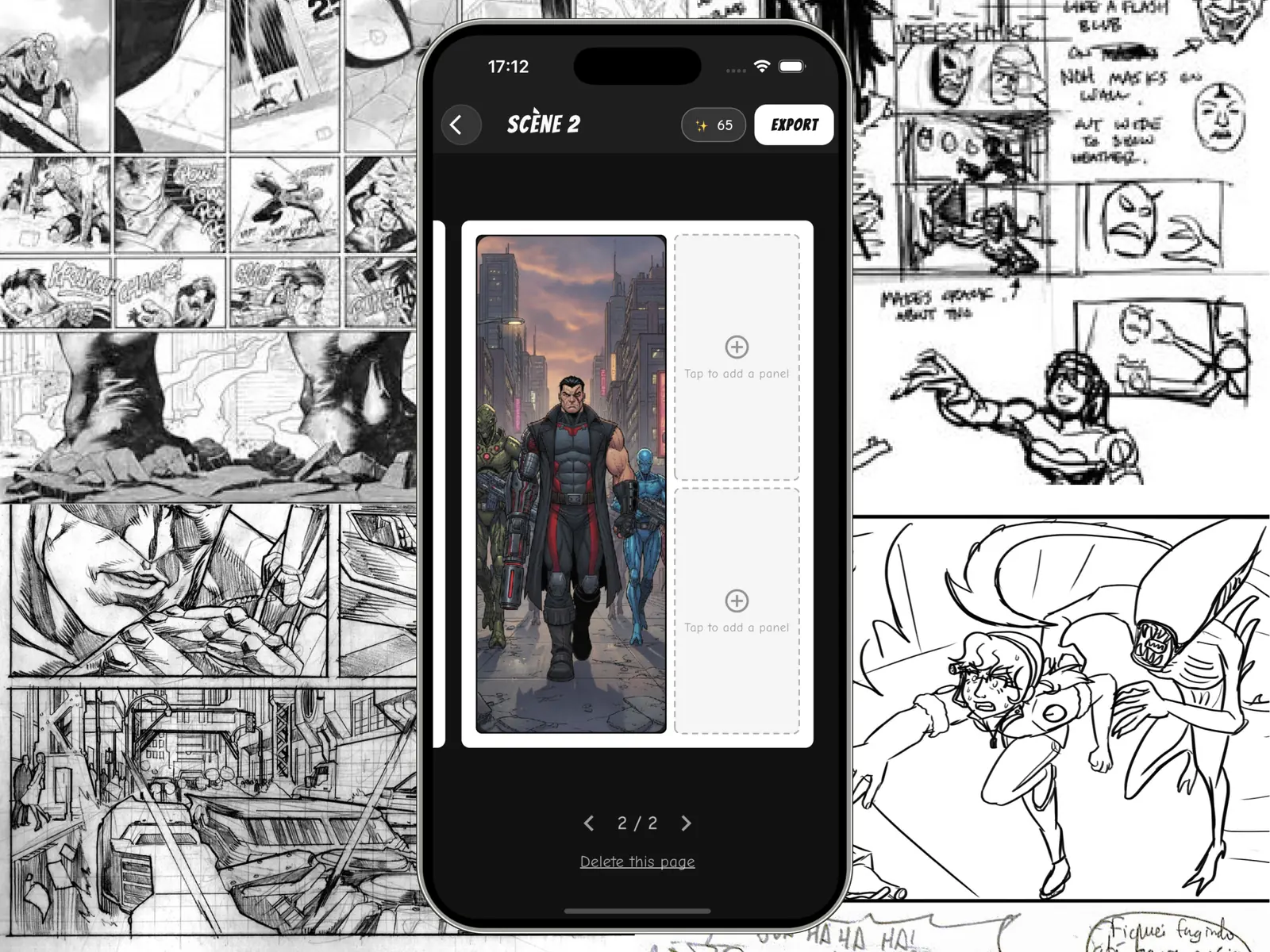
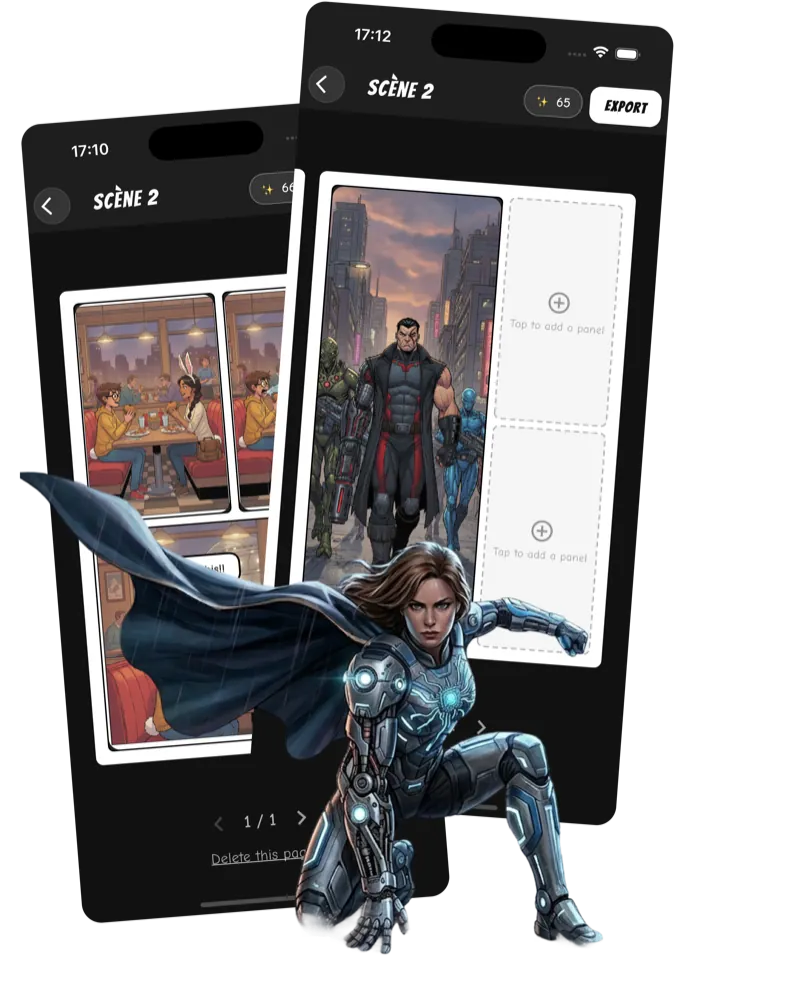
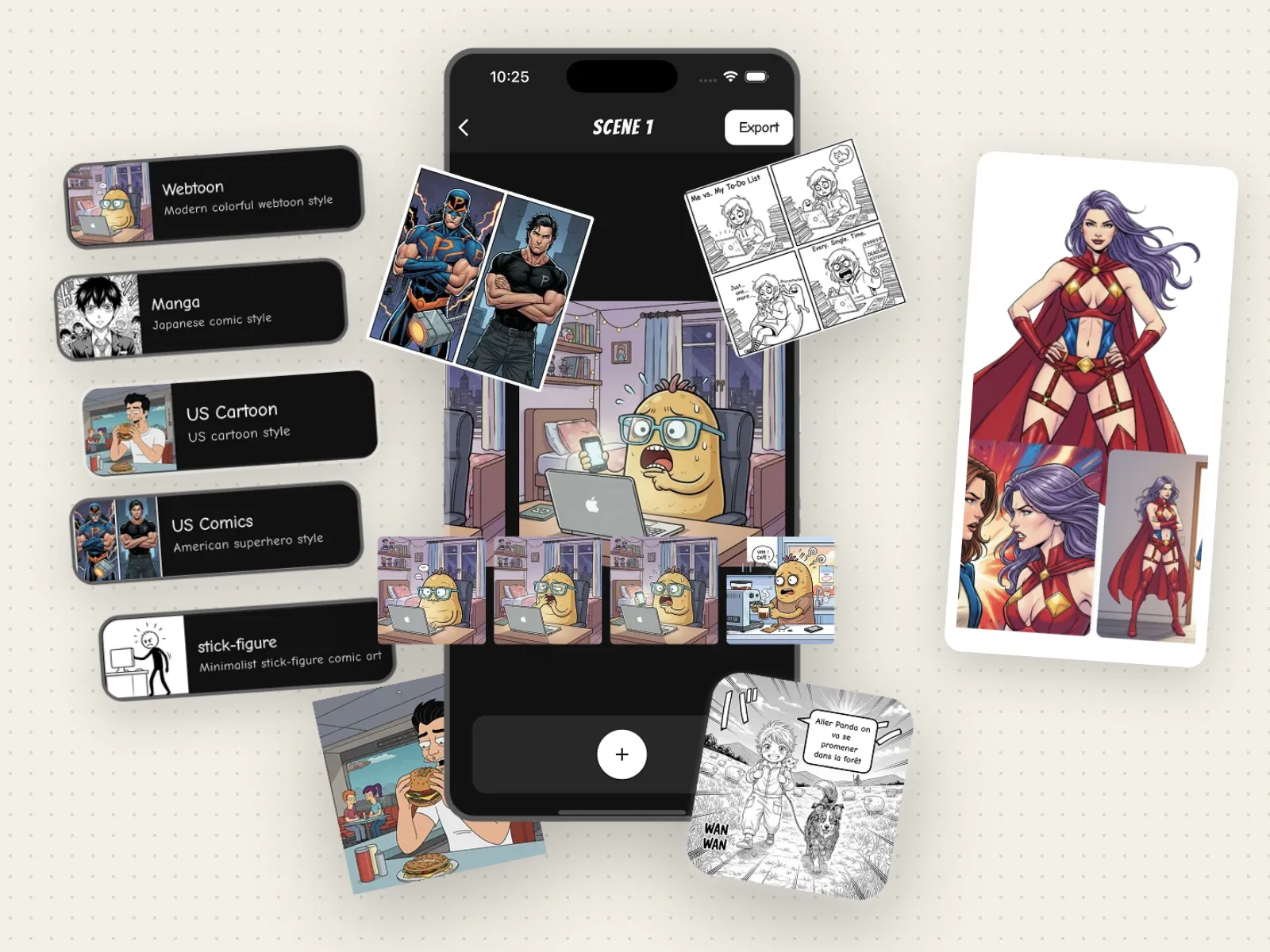
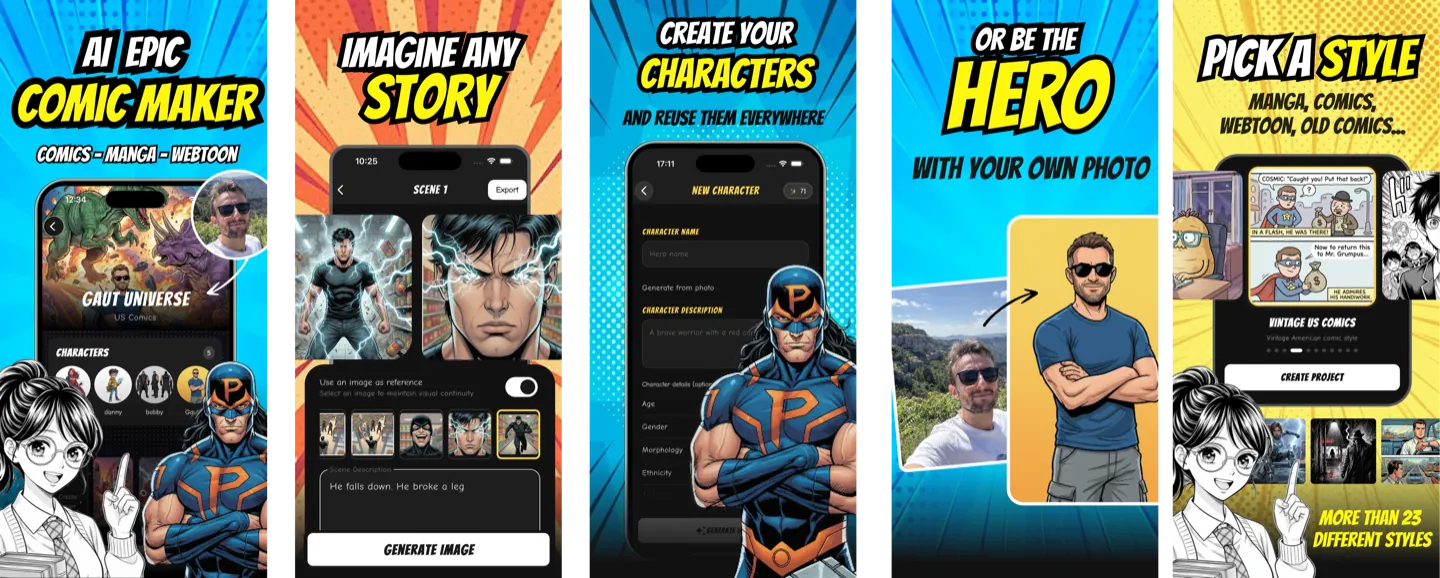
Emaki is our comic app for iPhone and iPad. You write the comic, and the app draws it. You describe each panel in words, and it draws the panel in the style you picked, with your saved characters in it.
How it works
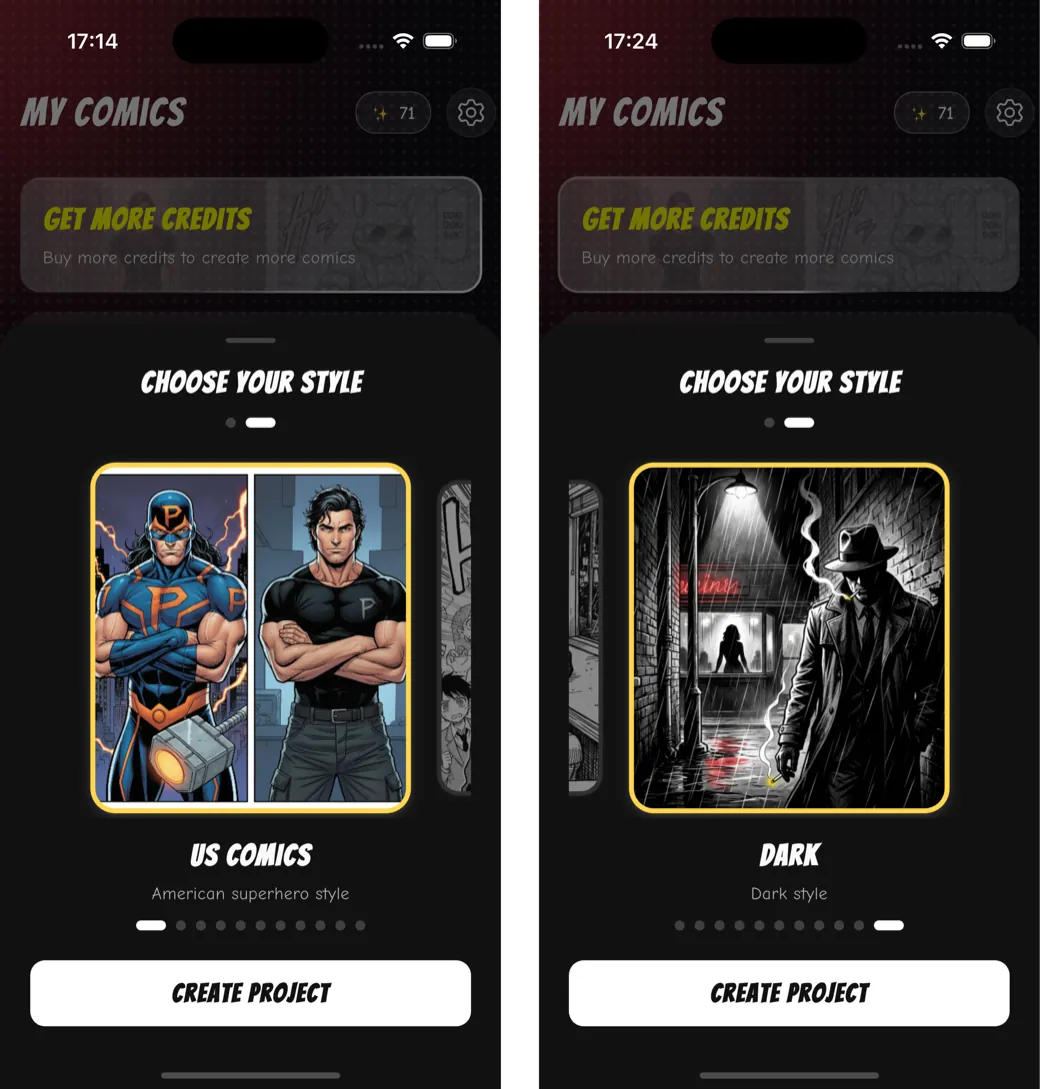
- Pick a style for the whole comic: Manga, Webtoon, US Comics, US Cartoon, a dark style or stick figures.
- Create your characters. Give each one a name and a description, or start from a photo. Emaki draws the character once, and that picture becomes its reference.
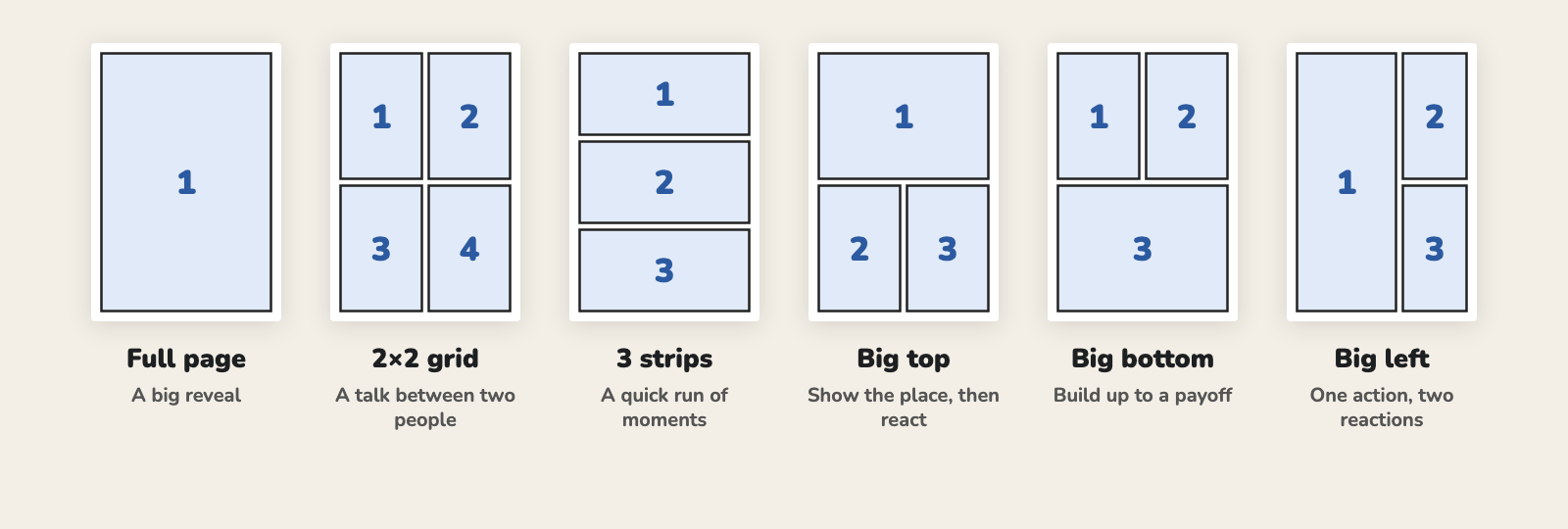
- Choose a layout: a strip, or comic pages with one of six page layouts.
- Describe each panel. Write the character’s name in the description, and the app sends that character’s picture with it. Tap Generate Image, then Validate or Retry. To keep a place the same, use an earlier panel as a reference.
- Add speech bubbles. Type the line, pick Speaking, Thinking or Narrative, then drag the bubble and turn its tail.
- Export a whole strip, each page or each panel as images to your Photos library.
Price
A new account gets one free credit, which makes one image. After that, each image costs one credit. Credit packs go from 50 credits for $6.99 to 400 for $24.99, and bought credits never expire. Plans give you $6.99 a week for 100 credits, $14.99 a month for 300, or $99.99 a year for 2,000. On the monthly or yearly plan, an image costs about 5 cents. Plan credits reset at each renewal.
Pros
- Characters are saved once and reused in every panel that names them.
- You control each panel: retry it, keep it, or use an earlier one as a reference.
- You type the speech bubbles, so the AI can’t misspell them, and you can move them later.
- Strips and six page layouts. Exports pages or panels.
- Bought credits never expire.
Cons
- Only one free image. After that, you pay.
- You write every panel yourself. There’s no “make my whole comic from one sentence” button.
- Exports images, not a PDF.
- iPhone and iPad only. No Android app.
- Faces can still drift. One reviewer in August 2026 said their character looked different from frame to frame. Writing the name in each panel and using the last panel as a reference helps. Our consistent characters guide lists more fixes.
Download Emaki · See how to make a comic on iPhone with it
2. ChatGPT
Best for: one free picture, or a quick strip in a single image.
ChatGPT is not a comic app, but many people make comics with it. Ask for “a four-panel comic strip about…” and it draws the whole strip as one image. OpenAI says ChatGPT Images works on every plan, including the free one. It can write text in the picture, and you can save a photo as a reference and call it later with @ and its name.
Price: free to start. The free plan has an image limit, but OpenAI doesn’t give a number: ChatGPT tells you when you reach it. In the App Store, ChatGPT Go costs $8 a month and Plus $19.99.
Pros
- Free, and you may already have it.
- Follows long, detailed instructions.
- Draws a short strip, words and all, in one image.
- Saves a photo of your character as a reference you can call by name.
Cons
- No pages, no panel layouts and no bubble editor. Each answer is one picture, and you put the pages together in another app.
- The words are part of the picture. To change a line, you ask for a new version.
- Over a long chat, a character’s face can drift from one image to the next.
- The free image limit isn’t published, so you can’t plan around it.
3. Google Gemini
Best for: a short picture book from a single prompt.
Gemini makes and edits images with Google’s Nano Banana 2 model, on the free plan too. It also has a feature called Storybook: describe a story, add photos if you like, and Gemini writes and illustrates a book of “usually 10-12 pages”. It can read the story aloud, and on the web you can print it or save it as a PDF.
Price: free to start. Google says the limits depend on how much you ask of it, and refresh every five hours until you reach a weekly cap. In the App Store, Google AI Plus costs $4.99 a month and Google AI Pro $19.99.
Pros
- Free, with image generation on the free plan.
- Storybook turns one prompt into a whole illustrated book.
- You can build the story from your own photos.
Cons
- Storybook makes picture books, not comic pages. To change a page, you ask Gemini for a new version. You don’t move panels or bubbles yourself.
- Storybook isn’t available to users under 18.
- The free limits have no fixed number.
4. Comics AI
Best for: full comic pages with layouts, bubbles and a PDF at the end.
Going by its store page, Comics AI has the most complete page editor on this list. The page lists 16 art styles, over 200 ready-made characters, up to four characters per scene that keep the same face, your own characters from a description or a photo, and a “draw to comic” tool: you sketch with your finger or an Apple Pencil and the AI finishes the art. You build pages on a free-form panel canvas, add bubbles, captions and stickers, then export a PDF in A4 or comic book size. There’s no account to create.
Don’t mix it up with “Comics AI: Comic & Manga Maker”, a different app from another developer.
Price: $3.99 a week, $7.99 a month or $39.99 a year, with Pro plans at $4.99 a week or $12.99 a month. Credit packs go from 300 for $4.99 to 1,600 for $19.99, and the store page says credits never expire. It doesn’t say how many credits an image costs.
Pros
- Real pages: grids or custom layouts, resizable panels, gutters and borders.
- Bubbles, captions and comic fonts on layers you can move, hide and lock.
- PDF export for print.
- Sketch to art, for people who draw a little.
- Credits never expire, and you don’t need an account.
Cons
- The free version is tight. Reviewers in 2025 and June 2026 say they got seven images a day and two styles.
- Some panel settings lock for non-subscribers, says a reviewer in February 2026.
- One reviewer in March 2026 complained of lag and of bubble text in the wrong language.
5. KAI: Comic Maker
Best for: a whole short comic from a story idea, with little work.
KAI takes “your overall story synopsis” and builds the comic from it. You can add characters from photos, and pick a genre such as shonen, isekai, romance or superhero. With 1,201 ratings, it has the most ratings of any app in our search that was made only for AI comics.
Price: $3.99 to $5.99 a week, or $39.99 to $49.99 a year, depending on the offer. Credit packs cost $4.99 or $19.99, and an “All Styles Pack” costs $14.99.
Pros
- The fastest way from an idea to a finished comic.
- Many genres to choose from.
- Lots of ratings, and a 4.5 average.
Cons
- Little control over pages and panels. A reviewer in January 2026 said “every page feels random”.
- Several reviews say characters change between scenes, even with an uploaded photo.
- You pay before you can make a comic, reviewers say. One found the weekly plan allowed three comics a week.
- The last update was in January 2026.
6. Komiko
Best for: original characters (OCs), anime art and short animated clips.
Komiko starts from your characters. You design them with its OC maker, then use them in illustrations, comic panels, manga pages and webtoon episodes. It can also turn a still image into a short animated clip. It has a website too.
Price: Komiko sells “Zaps”: 800 for $1.49, 9,000 for $29.99. Plans cost $12.99, $24.99 or $62.99 a month. The store page doesn’t say how many Zaps an image costs, so it’s hard to compare.
Pros
- Characters, comics and animation in one app.
- Reviewers praise the image quality and the comic editor.
Cons
- Hard to know what a comic will cost in Zaps.
- Two reviewers in October 2026 were stuck on a start screen and couldn’t get into the app.
- A reviewer in August 2026 says the filter blocks normal prompts as adult content. Another says the app shows too much adult content for kids.
7. LlamaGen
Best for: comic strips in a wide choice of styles.
LlamaGen started as an AI comic website and came to iPhone in July 2026. You describe a scene, choose a style from “hundreds” and a panel layout, and it makes the strip. It also has layouts that put you in the comic from a photo.
Price: plans cost $18, $30, $96 or $200 a month, or $172.99 or $359.99 a year. Credit packs start at 7,500 for $9.90.
Pros
- A huge choice of styles.
- Your comics sync with the LlamaGen website.
Cons
- New on iPhone: one rating when we checked, so there’s not much user feedback yet.
- Watermark removal, HD export and reference photos need a paid plan.
- The highest monthly prices on this list.
- Needs iOS 17 or later.
8. Toonly
Best for: stories where you choose what happens next.
Toonly works like a “choose your own adventure” comic. You start from a template, make a choice, and the AI draws the next scenes. Each run of the same template can end differently.
Price: $5.99 a week or $69.99 a year, with “Lite” plans at $2.99 a week or $34.99 a year. Packs cost $4.99 to $49.99. Reviewers mention coins you can earn by watching ads.
Pros
- A different kind of comic: a story that branches.
- Quick to start from a template.
Cons
- You follow a template. It’s not built for writing your own script panel by panel.
- A reviewer says it asks for a subscription before each new comic.
- Recent reviews say it now blocks characters from games and films, and forgets what happened in an earlier comic.
9. Comic Life 3
Best for: comics made from your own photos, with no AI.
Comic Life 3 is different from the rest: it doesn’t make images. You bring photos or drawings, drop them into page templates, then add balloons, captions, lettering and filters. It has a script editor, and it shares comics as PDFs.
Price: $4.99, paid once. No credits, no plan.
Pros
- One price, then use it as much as you like.
- Full control over balloons, captions and lettering.
- Multi-page comics and PDF export.
Cons
- No AI. You need your own photos or drawings.
- The last update was in February 2024.
- Reviewers find it hard to learn at first.
Which one should you pick?
- You have a story with recurring characters, and you want to control each panel: Emaki.
- You want one free picture, or a quick joke in one image: ChatGPT.
- You want a picture book to read to a child: Gemini’s Storybook.
- You want a finished page with layouts, bubbles and a PDF: Comics AI.
- You want a whole comic from one idea, fast: KAI.
- You care most about your OCs, art and animation: Komiko.
- You want a story where you choose what happens: Toonly.
- You want to use your own photos, with no AI: Comic Life 3.
Whatever you pick, write the script first. The app can draw the panels, but it can’t guess your story. Our guide on how to write a comic script has a free template you can paste into Notes.
FAQ
What is the best AI comic app for iPhone?
It depends on how much control you want. To write the comic yourself and keep the same characters in every panel, use Emaki. To get a whole comic from one idea, try KAI. For a free picture or a quick strip, use ChatGPT or Gemini.
Is there a free AI comic app for iPhone?
ChatGPT and Gemini can make comic images for free, with limits. The comic apps let you try them for free, then charge for credits or a plan. Emaki gives you one free image. Reviewers say Comics AI gives seven a day.
Can AI keep my character the same in every panel?
Mostly, if the app sends a picture of the character with each panel. Emaki, Comics AI and Komiko save your characters for that. In ChatGPT, you can save a photo as a reference and call it by name. See our guide on consistent characters in AI comics.
Which app can make a webtoon?
Emaki exports each panel on its own, so you can post them in reading order. Komiko’s store page lists webtoon episodes. See our webtoon maker page for the format.
Can I print a comic made on my iPhone?
Yes. Comics AI and Comic Life 3 export PDFs. Emaki exports one image per page, which you can print. Gemini’s Storybook prints from the web.
Can I make a manga with these apps?
Yes. Emaki, Comics AI, KAI and Komiko all have manga styles. See our AI manga maker page for examples.
Try Emaki
Have a story in mind? Download Emaki, save your main character, and make your first panel. The AI character creator page shows how characters work.